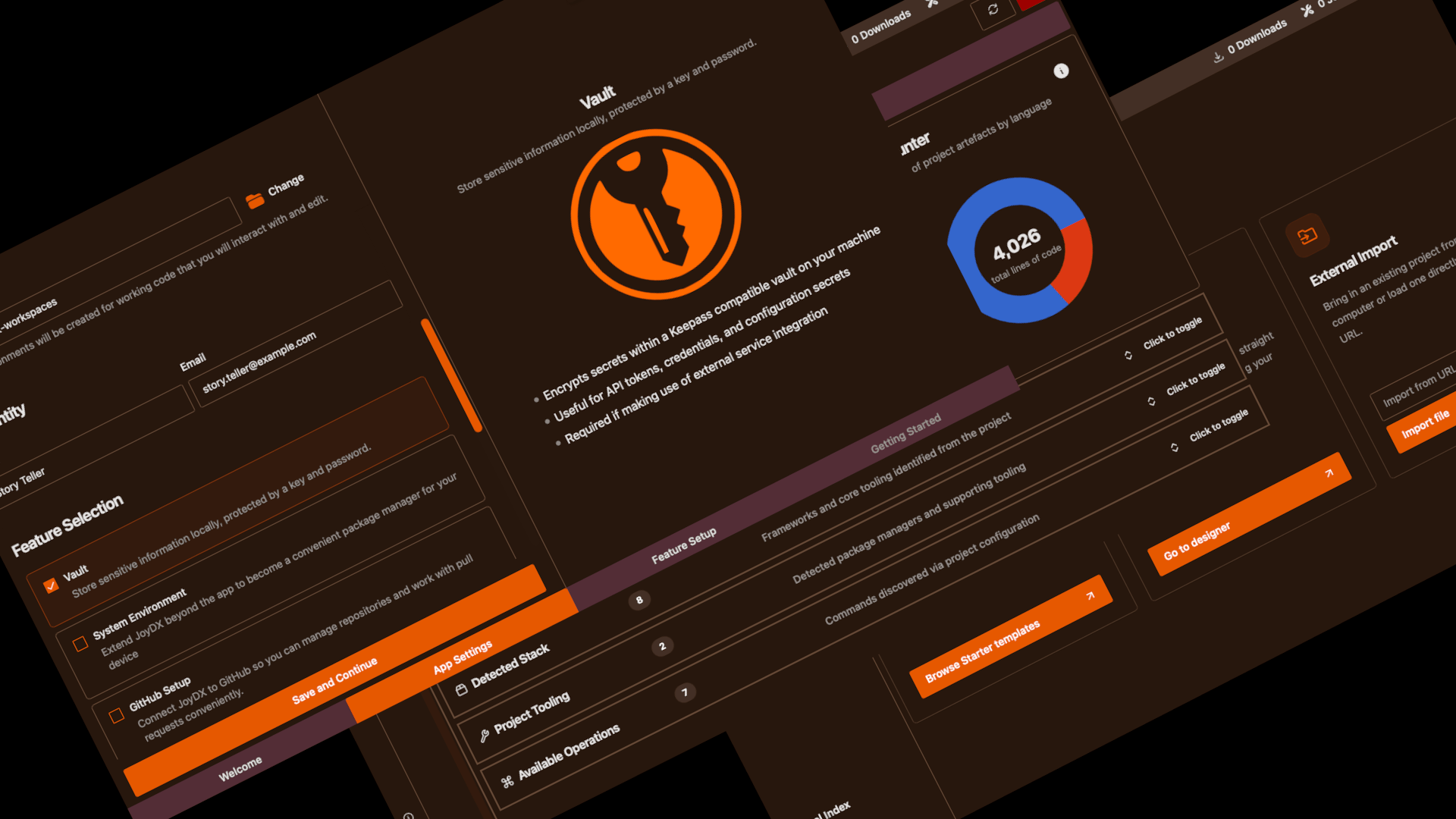
Summary
The main focus of 0.21 (air) has been about reviewing the complete experience to determine how ready for version 1 JoyDX really is and rethinking user flows. Since shifting from research experiment to product almost a year ago, there has been a lot of growth in features and capabilities, none of which I wanted to just feel like a bolt-on. This is the largest release to date containing 187 distinct changes. Highlights include:
- Refreshed onboarding and project experience A completely new onboarding experience (for both CLI and GUI users) and the concept of environments is shifting towards projects.
- Expanded Language and Platform support Support for Ruby, Java, Kotlin, .NET, and PHP have been added meaning JoyDX now supports and allows you to get started with all the most popular programming langauges in just a click.
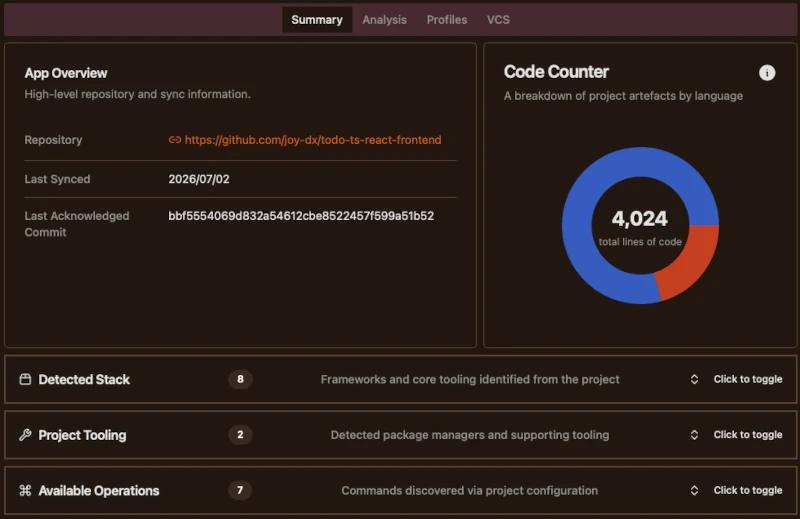
- Analyzer Expansion Not only has support for analyzing Java / Kotlin projects been added through Detekt, ktlint, and pmd; the project interrogator has evolved to one that identifies scripts and tooling that surround the code. This gets presented in a new summary tab within the app space.
- External Tooling Refactor As support for external tools continues to grow, tool management crossed a line which meant needing to refactor the code in order to scale and stay maintainable. Release handling and selection have been improved including prerelease support, major version tags, and improved variant handling.
Refreshed Onboarding Experience
JoyDX supports a wide range of capabilities that might not be apparent to first time users. During development of these features, how each fit in to the app was always considered but, the onboarding experience largely remained unchanged.
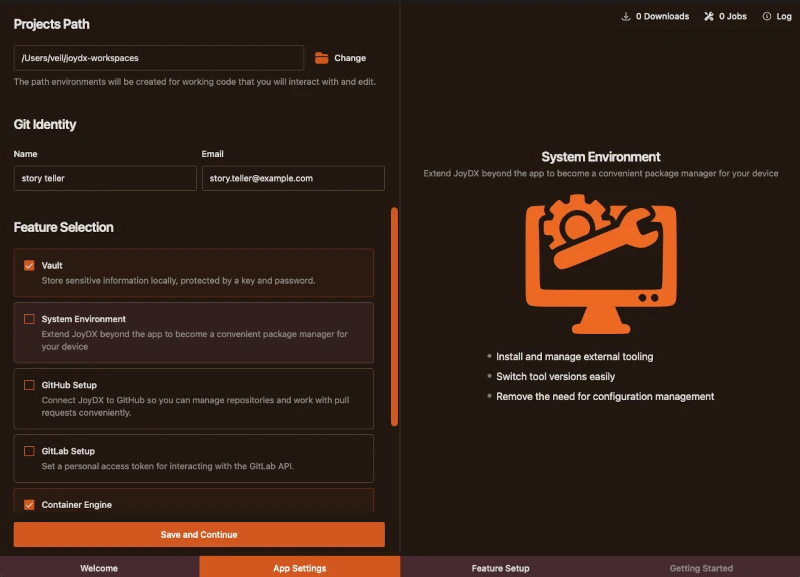
Now, the first screen the user sees is a self-explanatory feature selection page with clear explainers for each feature upon mouse hover. It’s clearer what are optional features and ends up less busy whilst also presenting the user with more information
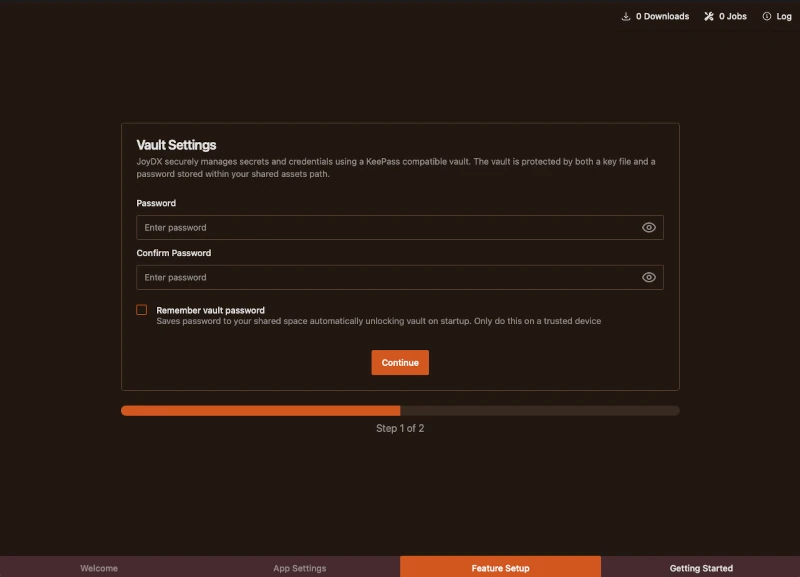
For each feature the user selected, setup and progress is given its own screen
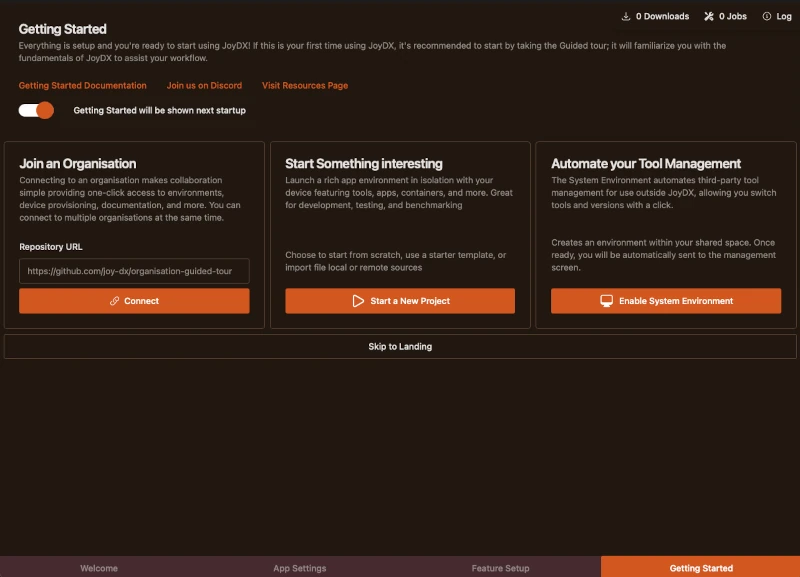
Finally, when the user has completed all the necessary onboarding, the getting started screen has now been simplified.
Language Support
Programming language support has expanded now including Ruby, Java, Kotlin, .NET, and PHP have been added meaning JoyDX now supports and allows you to get started with all the most popular programming languages in just a click.
We’ve got a fantastic list of starter / demo templates planned and will shortly update the templates repository with projects including AI coding assistants, CRM platforms ,data pipelines, ecommerce, and more to help you get started.
Analyzer Expansion
A new language scanner walks through key project files to identify key information about the project, stack, and operations making it easier than ever to get a high level understanding of projects
External Tooling Refactor
JoyDX now has facilities for managing over 80 different external tools. The capabilities to effectively manage tools crossed a line which meant refactoring the tool management system.
For you as an end user, this means a smaller memory footprint, faster introduction of new tools, and finer release selection including prerelease support, major version tags, and variant handling.
For us, the way tools are now defined will make it much simpler to define, test, and keep external tool records up-to-date
Things you might be interested in
The following is a selection from the full list of changes that might impact the way you use JoyDX
Improved container engine management
- Added a dedicated settings page for container engine management
- Improved Podman state handling, startup markers, progress reporting, and task availability based on current state
- Added compatibility checks during onboarding to prevent unsupported feature setup on certain platforms
Better reliability in daily operations
- Fixed Git clone / pull edge cases when credentials changed after initial checkout
- Fixed profile updates not always writing the latest environment state
- Fixed frontend state refresh after editing instances
- Fixed automated remote update checks so they properly respect cron timing
- Fixed multiple install and archive extraction issues, including pnpm packaging changes and tar link handling
Nix and NixOS improvements
- Added Linux support to NixOS install flow
- Exposed the base Nix command when Nix is used in the system service
Improved system and execution handling
- Added better support for sudo flows, including retry behavior and clearer isolation in os_exec
- Added options for ignoring stderr output and treating specific output as success
- Added PATH mixing support when defining environment variables
More polished app and project management
- The concept of environments has been renamed to projects
- Added options to remove instances from disk during removal
- Improved license usage accounting to better reflect persisted apps and on-disk projects only