Getting Started
There is an installer script which will download the appropriate files and guide you to get up and running quickly.
You can download the JoyDX installer by clicking the button below
/bin/bash -c "$(curl -fsSL https://joydx.com/installer.sh)"For more information on setup, see Installation. The rest of this page will guide you through the onboarding procedure, assuming you have successfully installed, started, and chosen your language
App Settings
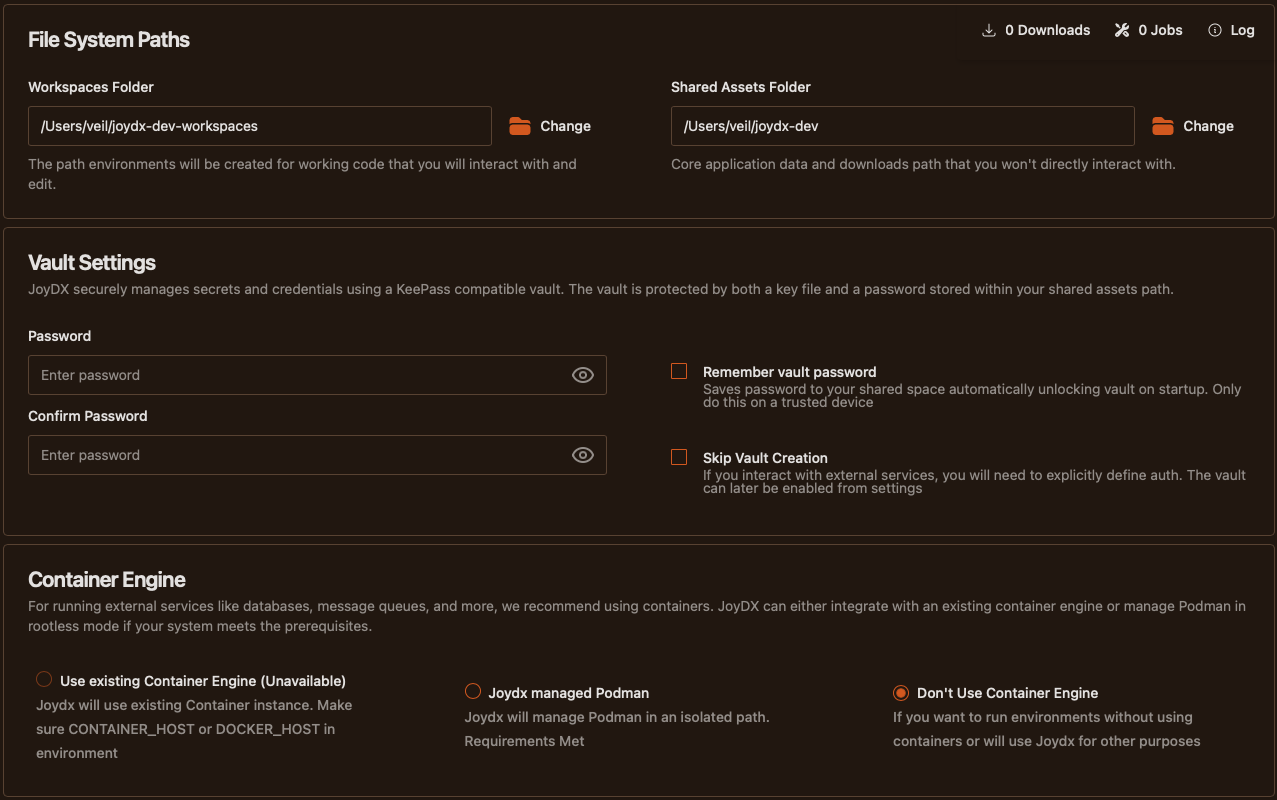
- Choose Working PathsWhere you want to store your environment workspaces and a common data folder by using the directory pickers. Choose a convenient location for your workspace folder
- Set a Vault PasswordCreate a local and secure credential store for keeping credentials and keys for services that JoyDX interacts with safe. If skipped, you will only be able to interact with public repositories or be required to configure credentials within your playbooks.
- Choose Container EngineOptionally make use of an already running container engine or have JoyDX manage an isolated Podman install. If skipped, JoyDX will prevent you from launching environments that make use of container services
Connect to Your Services
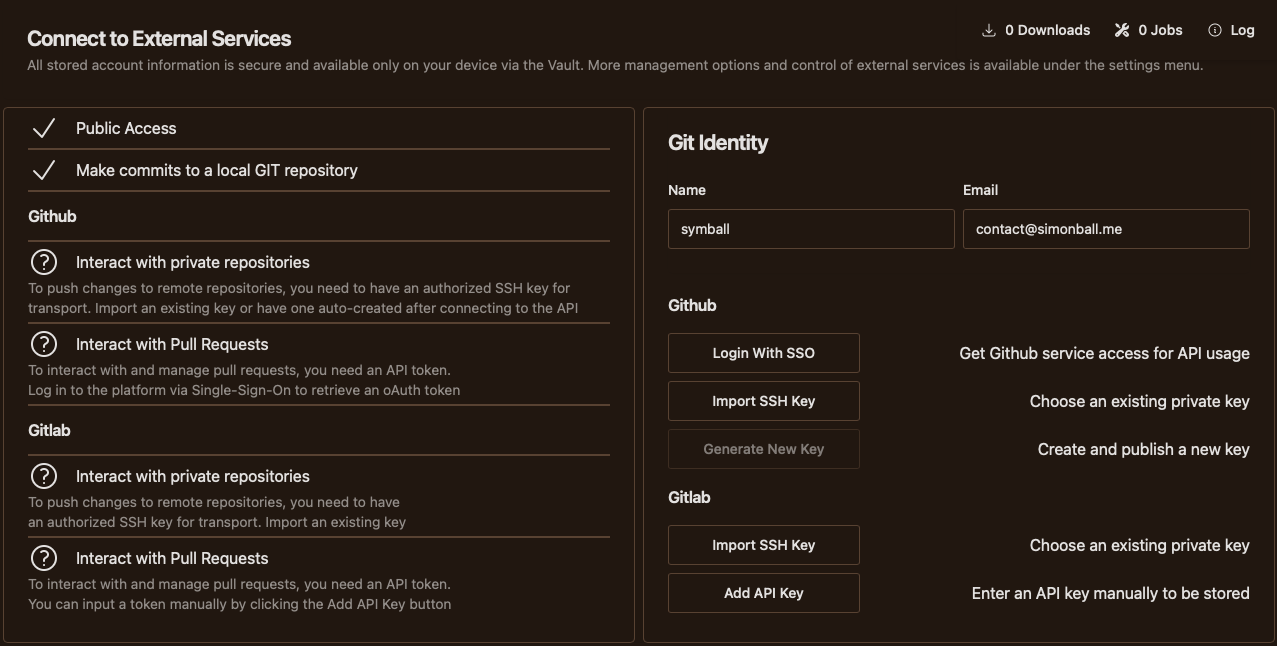
You can see what capabilities JoyDX will launch with on the left side of the screen. If a capability has not yet been enabled, there are explainers underneath each heading for guidance
- Set GIT IdentityFor interacting with repositories, you need a username and email to associate with your activity
- Sign on via SSOWork with platform APIs to interact with private repos and PRs
- Import / Generate KeysCommit, Push, and Pull code securely with remote repositories securely via SSH. You can only generate a new key if you have signed in via SSO
- Use Access TokensUse a Personal Access Token to interact with platform APIs. This will require you to setup a key manually from the service dashboard
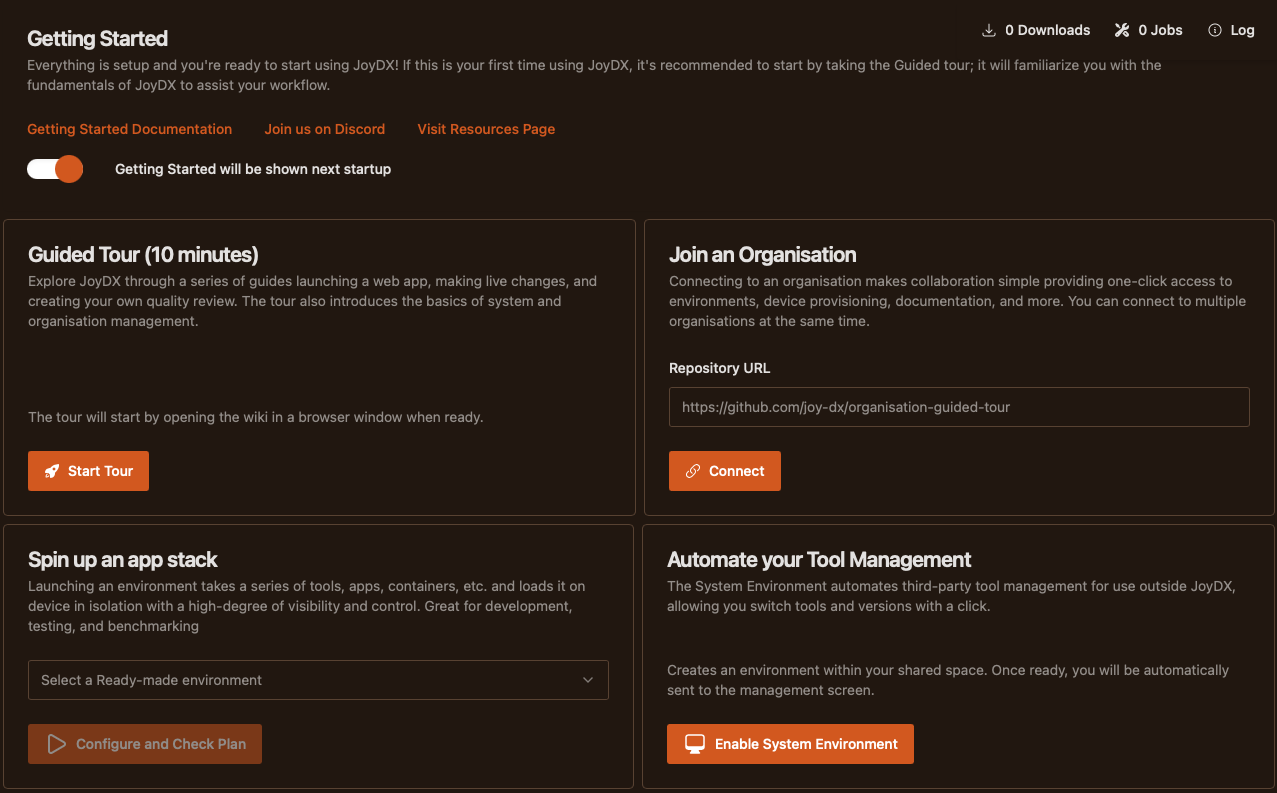
Get Started with one Click
- Take The Guided TourExplore and Learn the basics of core JoyDX features by joining a demonstration organisation
- Join an OrganisationConnect by entering the repository URL. If accessing private organisations, platform authentication should already be present from the external services screen
- Spin up an app stackLaunch predefined environments in one-click from some ready-made templates or, environments from your organisation
- Automate Tool ManagementEasily manage third party tools for use outside JoyDX by automatically setting up a system shim which will make