Utilising Containers
JoyDX can utilize a container engine providing an extra level of flexibility and power to your environments. For technologies such as DataBases or Message Queue Systems, due to the ephemeral nature of containers, this is the recommended way to run such services. Container engines are configured from the JoyDX settings menu which can be reached by clicking the Cog menu option located in the bottom left of the window under the default General section
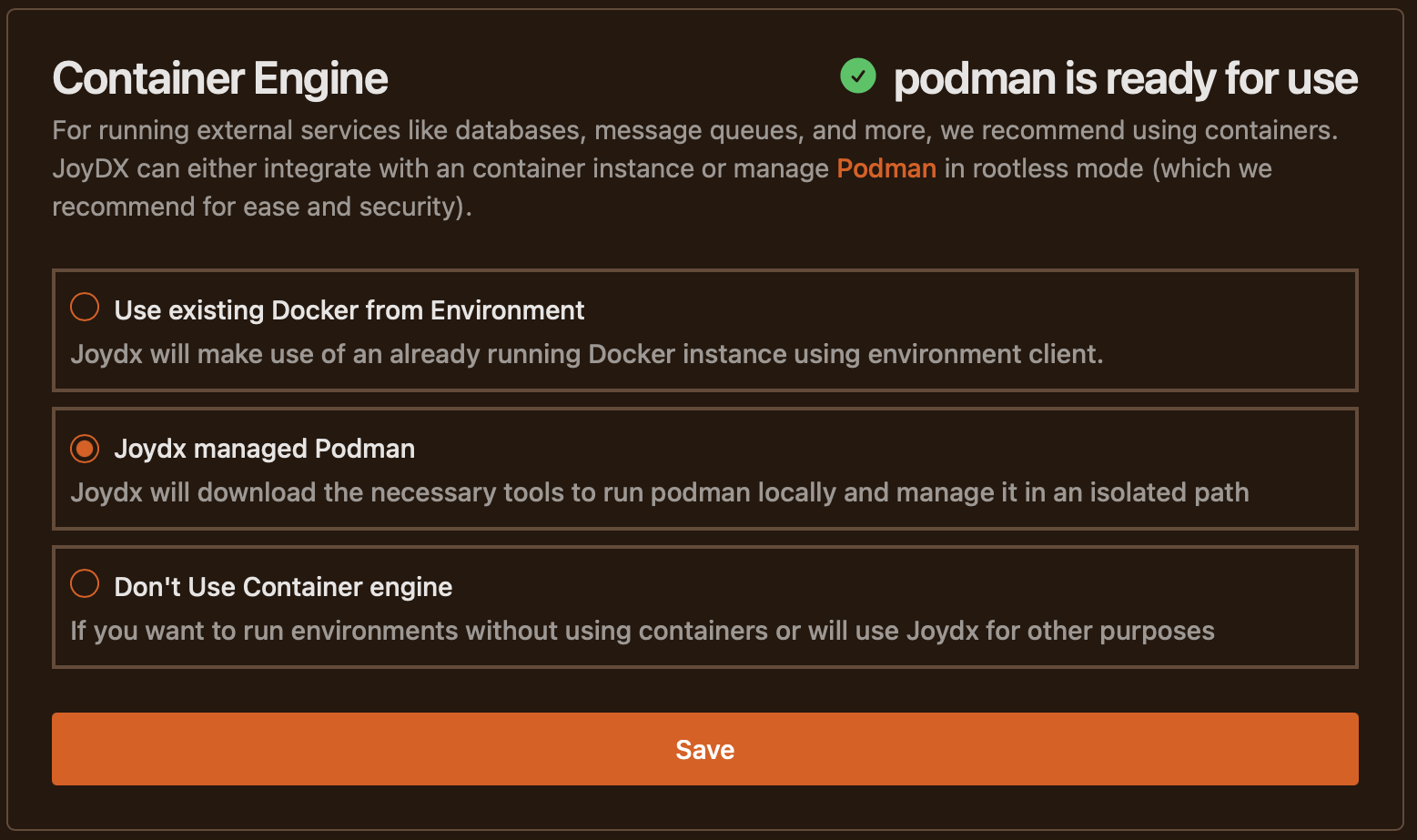
There are three options to choose from which may or may not have their selection disabled depending on your system state during configuration. As you can see from the screenshot, depending on your selected option JoyDX will report on service availability
- Make use of existing Container engineIf you have either `CONTAINER_HOST` (Podman) or `DOCKER_HOST` (Docker) available as environment variables, JoyDX can act as a container client
- JoyDX managed PodmanJoydx will download tooling to the shared assets path and run podman locally, making it available either at application startup or when the system environment is initialized (if enabled)
- Don't use container engineNo container technology can be utilised from within JoyDX. If you attempt to load or run an environment with containers defined, you will be presented with an error message